

Enjoy Slots on Wazamba Casino App in Australia
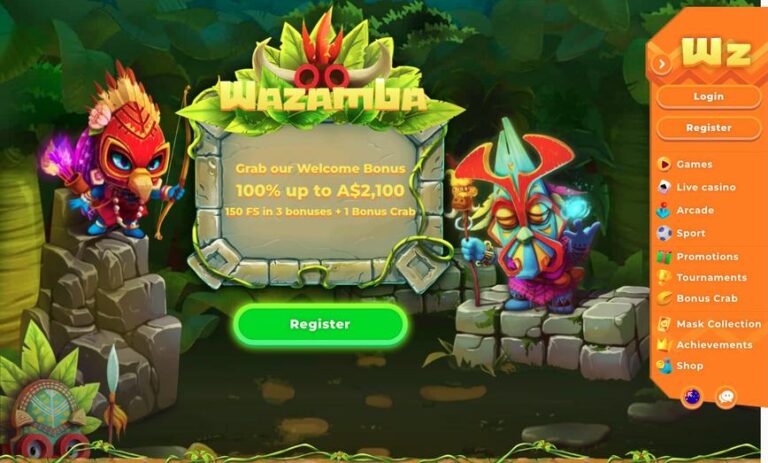
The Wazamba Casino app brings a full suite of slot titles to Australian mobile users who wish to play without using a browser. This article explains exactly how the app works, which devices it supports, how to download and install it properly, and what players can anticipate once the software is running. Every section focuses on concrete steps and requirements that are relevant when using a real-money gambling app on an Australian phone or tablet.
Hardware Compatibility and Operating System Requirements
The Wazamba Casino app is developed for both Android and iOS devices typically used in Australia. Android customers need version 8.0 or higher, while iOS customers require iOS 13 or later. These requirements cover most phones and tablets launched after 2019, including latest Samsung Galaxy, Google Pixel, and Apple iPhone models. Gamers with older devices may still enter the casino through the mobile website, but they will lose the dedicated app features such as push notifications and faster loading times.

Screen size is another aspect. The interface adjusts for displays between 5 and 12.9 inches, so both standard smartphones and larger tablets show the slot reels and control buttons without clipping. Resolution support starts at 720 × 1280 pixels and goes to 4K screens. Gamers with high-refresh-rate displays will see smoother reel spins, but the app automatically decreases animation quality on lower-powered hardware to preserve stable frame rates.
Storage requirements stand at approximately 85 MB for the initial download, though additional space is required for game assets that load on demand. Players should keep at least 300 MB free to avoid disruptions during larger updates. The app requests permission to reach the device’s network state, storage, and vibration motor; these permissions allow offline caching of preferred games and haptic feedback during bonus rounds.
Registration Process and Login Inside the App

Registering within the Wazamba Casino app complies with the same identity verification requirements set by Australian regulations. The registration form asks for full name, date of birth, residential address, email, and mobile number. Players are required to confirm they are at least 18 years old; the app immediately blocks entries displaying an age below the legal threshold.
After sending the form, the app delivers a verification code via SMS. Typing this code validates the mobile number and opens the deposit section. New users then select a username and password that fulfill the site’s complexity rules: at least eight characters with one uppercase letter and one number. The app saves these credentials in the device’s secure enclave, enabling biometric login on subsequent sessions.
Existing account holders may skip registration by clicking the login button and typing their username and password. The app provides fingerprint or Face ID authentication after the first successful login. Players who lose their password can trigger a reset from within the app; a temporary link is emailed, and the new password needs to be set before the link expires after 24 hours.
Obtaining the Android APK Safely
Since the Wazamba Casino app is not featured in the Google Play Store, Australian Android users must download the APK file straight from the casino’s primary website. The initial step is to open a mobile browser, navigate to wazamba-online.com, and find the “Download APK” button, commonly situated in the footer or under the promotions menu. Clicking the button triggers the file transfer, which lasts between 30 seconds and two minutes on a standard 4G connection.
Before installation, users need to permit installation from unknown sources. On Android 8 and above, this setting is located under Settings > Apps > Special app access > Install unknown apps. Selecting the browser that stored the file and switching the permission on finishes the process. Once the APK ends downloading, the user presses the notification or accesses the file manager to initiate installation. The operating system presents the app’s requested permissions; examining these verifies the software only uses storage and network functions necessary for gameplay.
Security-conscious players may check the APK’s digital signature before installation. The casino provides the SHA-256 checksum on its site; comparing this value with the downloaded file using a free checksum tool ensures the file has not been modified. After installation, the app icon shows up on the home screen or app drawer, and the user can start it to finish registration or log in with present credentials.
Setting up the iOS Version via TestFlight or Direct Download
iOS users in Australia take a different path because Apple does not permit real-money gambling apps in the App Store. Wazamba offers a direct installation link that is displayed when an iPhone or iPad opens the mobile site. Tapping the link launches a configuration profile that the device must install; this profile holds the app’s signing certificate and is valid for 90 days before renewal is required.
After the profile downloads, users go to the Settings app, move to General > VPN & Device Management, and accept the developer associated with Wazamba. The app icon then is visible on the home screen. Launching the app for the first time triggers a short verification step where the device verifies the certificate status with Apple’s servers. This process typically ends within ten seconds on an active Wi-Fi connection.
Renewal notices show up inside the app 14 days before the certificate expires. Players tap the renewal prompt, which fetches an updated profile and re-runs the approval steps. Keeping the app updated ensures continued access to new slot releases and security patches. If the certificate lapses, the app ceases launching until the profile is refreshed.
Core In-App Features for Slot Players
The Wazamba Casino app organises its slot library into searchable categories such as Megaways, Classic 3-Reel, and Progressive Jackpot. Each category presents game thumbnails, RTP percentages, and volatility ratings, letting players to filter titles before launching. Tapping a thumbnail loads the game in under three seconds on a 4G connection, with assets cached locally for quicker subsequent sessions.
Fast Spin and Turbo Mode Options
Inside each slot, players can adjust reel speed using the Quick Spin toggle, which cuts animation time by approximately 40 percent. Turbo Mode further speeds up play by skipping non-essential visual effects, helpful during long sessions or when data usage is a concern. Both settings are saved per game, so returning to a favourite title restores the previously chosen speed.
Alert Controls
The app includes granular notification settings. Players can activate alerts for daily free spins, tournament start times, and deposit bonus availability. Each category can be toggled independently, and the app respects the device’s Do Not Disturb schedule. Disabling all notifications is available from the settings menu without affecting gameplay.
Performance, Data Usage, and Battery Drain
Slot games delivered through the Wazamba app consume roughly 4 MB of data per 15 minutes of continuous play when graphics are set to medium. Players on unlimited mobile plans can increase the quality slider to high, boosting data usage to 7 MB in the same period but offering sharper symbols and smoother transitions. A Wi-Fi toggle inside the app automatically switches to higher quality when a recognised network is detected.
Battery consumption stands at 8 percent per hour on a modern smartphone with the screen brightness at 50 percent. The app stops reel animations when the device enters low-power mode, extending playtime on flights or during travel. Background refresh is confined to essential account checks, so the app does not use power while minimised.
Network stability is tracked in real time. If the connection drops below 1 Mbps, the app shows a warning and pauses the current spin until bandwidth improves. This safeguard avoids incomplete bets or lost winnings. Players can also enable a data-saver mode that pre-downloads the next three games in the queue, reducing the need for repeated downloads during travel through low-coverage areas.
Differences Between the App and the Mobile Website
The specialized app and the mobile website offer the same game library and account balance, app ios Wazamba Casino, yet several functional differences impact daily use. The app allows offline caching of the last five played slots, allowing users to review paytables without an active connection. The mobile site demands continuous internet access for every screen change.
Navigation inside the app uses bottom-tab menus that remain visible independent of scroll position, whilst the mobile site compresses menus into a hamburger icon. This layout difference quickens switching between the lobby, promotions, and banking sections. Furthermore, the app stores game settings locally, so sound levels, spin speed, and favourite lists remain across sessions without re-entry.
Payment processing inside the app uses the device’s native security features. Fingerprint or Face ID confirmation is required for every deposit above AUD 50, offering a layer of protection not available on the mobile site. Withdrawal requests can be started from either platform, but the app presents real-time status updates via push notifications, eliminating the need to refresh a browser tab repeatedly.