

Kingmaker Casino Access History and Activity Record for Italian Users
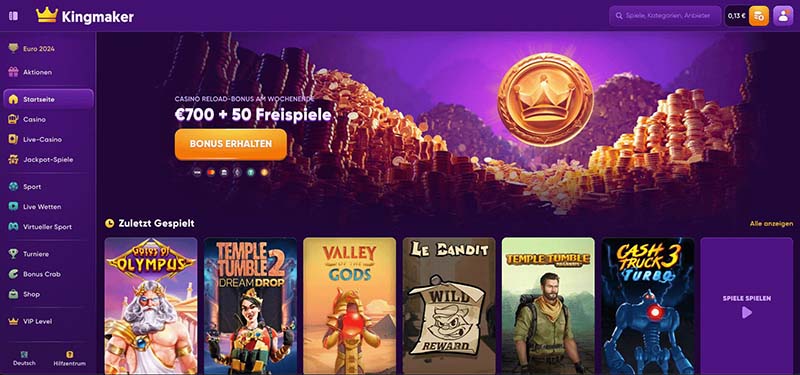
Maintaining a clear record of all login attempts helps members keep total control over their Kingmaker Casino accounts https://kingmakercasino.eu/it-it2/login2/. In Italy, where data protection regulations are stringent, comprehending how the casino tracks and displays login history is crucial for any user who wants to stay secure while playing. This article guides you through the precise steps needed to open an account, confirm identity, recover access, and review activity logs so you can take action fast if anything looks unusual.
Grasping the Italian Regulatory Environment for Online Casinos
Italy requires every online casino to operate under a licence provided by the Agenzia delle Dogane e dei Monopoli. This licence obliges operators to adhere to strict rules on player protection, data storage, and responsible gaming. Kingmaker Casino must therefore register every login, keep the data within the European Economic Area, and provide it available to the player on request. Understanding these obligations gives you a clear baseline: any reputable casino, including Kingmaker Casino, must maintain an auditable trail that indicates who accessed your account, when, and from which device.
Because the Italian regulator can inspect these logs at any time, the casino cannot erase or change entries without leaving evidence. This transparency functions in your favour; if you ever suspect unauthorised access, the unaltered history becomes evidence you can provide with support or even with law enforcement. The same rules also demand the casino to encrypt data both in transit and at rest, so your login details cannot be accessed by third parties even if network traffic is intercepted.
Identifying and Reacting to Unusual Activity
Kingmaker Casino monitors login patterns for irregularities such as logins from countries you have never been to or multiple failed attempts from the same IP address. When the system spots such behaviour, it sends an immediate email and an in-app notification. The message provides the IP address, approximate location, and time of the attempt, permitting you to act before any funds are moved.
If you obtain such an alert, log in from a trusted device, go to the active sessions list, and terminate every session except the current one. Next, update your password to a unique phrase you have never used elsewhere. Finally, review recent transactions; if you see withdrawals you did not authorise, open a support ticket and ask for a full account freeze until the matter is resolved. Moving within minutes rather than hours greatly boosts the chance of recovering any lost funds.
Reviewing Login History and Activity Logs
Inside the account area, go to the “Security” tab and pick “Login History.” The page presents a chronological list showing date, time, IP address, device type, operating system, and browser for every login attempt over the past twelve months. Successful logins appear in green, while failed attempts are shown in red. You can sort the list by date range or device to find specific events quickly.
Each entry also includes a “Details” button that shows the approximate city derived from the IP address and the login duration. If you see an unfamiliar city or an operating system you do not use, you can right away end all active sessions with a single click. Ending a session forces that device to log out and voids any existing session tokens, safeguarding your balance until you change your password and check further.
Exporting Logs for Personal Records
Below the login table you will find an “Export CSV” button. Clicking it downloads a comma-separated file holding every displayed field. This file is useful for personal bookkeeping or for providing with Italian authorities if you ever have to prove account activity. The export spans the same twelve-month window shown on screen; older records must be asked for directly from customer support, who will give them within ten working days under Italian data-protection rules.
Logging In for the Initial Time and Setting Up Two-Factor Authentication
Once your account is active, provide your email and password on the login page. The system then sends a six-digit code to your registered mobile number. Type this code within sixty seconds to finalize the login. Right away after this first successful login, the security dashboard prompts you to activate two-factor authentication using an authenticator app such as Google Authenticator or Authy. Enabling 2FA incorporates a time-based code that updates every thirty seconds, making it significantly harder for anyone else to get into your account even if they acquire your password.
After 2FA is active, each login requires both your password and the current six-digit code from the app. You can also opt to obtain backup codes by email in case you misplace your phone; record these codes and keep them in a safe place. If you later choose to change your phone, keep in mind to deactivate 2FA first using the current device, then turn back on it on the new phone. This simple routine stops the hassle of being locked out during a device transition.
Forgot Password Procedures and Account Lockout Procedures
If you lose your password, press the “Forgot Password” link on the login page. Type the email address linked to your account, and the system sends a reset link that remains valid for two hours. After clicking the link, you must create a new password that is different from the previous five passwords you have used. This history check blocks accidental reuse of old credentials that may already be exposed.
Should you type the wrong password five times in a row, the account automatically locks for thirty minutes. During this period you can still initiate a password reset, but you cannot log in even with the correct credentials. If you believe the lock resulted from an unauthorised attempt rather than your own typing errors, reach live chat immediately; support can lift the lock after verifying your identity through security questions or a one-time code delivered to your registered phone.
Establishing a New Kingmaker Casino Account: Step-by-Step
Opening an account begins on the registration page, where you need to supply personal data that aligns with the identity documents you will upload subsequently. Commence by entering your full legal name, date of birth, and Italian tax code; these fields are cross-checked automatically against public records. Then, provide a working email address and a mobile number that can accept SMS verification codes. The system then asks you to create a password that fulfills complexity rules: at least eight characters, one uppercase letter, one number, and one symbol.
After sending the form, you obtain a confirmation email containing a unique link. Selecting this link enables the account but doesn’t yet provide full access to withdrawals. The final step is to agree to the terms and conditions and acknowledge that you are at least eighteen years old. Once these steps are complete, you can log in immediately, but daily deposit limits stay low until identity verification is completed. Finishing the entire process usually takes less than ten minutes if you have your documents ready.
Identity Verification and Compliance Requirements
Italian law demands that every player fulfill Know-Your-Customer checks prior to withdrawing more than €1,000 or prior to thirty days have passed since registration. Kingmaker Casino therefore requires a government-issued photo ID, a recent utility bill or bank statement showing your address, and a selfie holding the same ID. Acceptable documents include an Italian identity card, passport, or driving licence; the utility bill must be dated within the last three months and show your full name and Italian address.
After you send the files through the secure document portal, the compliance team examines them within one to three working days. If the information aligns with the details you entered during registration, verification status switches to “approved” and you receive an email confirmation. Should any mismatch occur, such as a spelling error in your name or an expired document, the team notifies you by email with specific instructions on how to fix the issue. Until verification is granted, you can still play, but withdrawal requests stay on hold.
Frequent Reasons for Prolonged Verification
Most delays occur because the uploaded image is blurry or the address on the utility bill does not exactly align with the registration data. Another frequent cause is a mismatch between the name on the ID and the name on the bank account used for deposits. To sidestep these problems, scan documents in good lighting, ensure the entire page is visible, and use the same name spelling everywhere. If you recently moved, update your address with your bank before sending documents.
Top Tips for Ensuring Long-Term Account Security
Security is not a once-off task. Begin by employing a password manager to generate and keep a unique password for Kingmaker Casino. Turn on biometric login on your mobile device so the authenticator app itself is protected. Plan a quarterly review of your login history; put a calendar reminder so you do not forget. During each review, verify that the devices listed still relate to you and that no unexpected locations arise.
Hold your email account equally protected because password-reset links are forwarded there. Use a separate email address only for gambling accounts, and enable 2FA on that mailbox as well. Lastly, never disclose your login credentials or 2FA codes with anyone, including people pretending to be casino support staff. Real support will never request for these details; any such request is a clear indication of a phishing attempt.
FAQ
What is the duration for identity verification usually take at Kingmaker Casino?
Many Italian players obtain approval in one to three working days after uploading clear copies of an identity document, proof of address, and a selfie. In case the compliance team needs additional information, you will receive an email within twenty-four hours explaining specifically what is missing. Completing verification quickly unlocks full withdrawal limits and avoids future delays.
Is it possible to log in from multiple devices at the same time?
Yes, Kingmaker Casino enables several concurrent sessions, but each login shows up in your activity log. In case you notice an unfamiliar device, you can stop that session remotely from the security dashboard. Keeping an eye on the log aids you maintain control even when you switch between phone, tablet, and computer.
What steps should I take if I lose my phone with the authenticator app installed?
First, utilize one of the backup codes you printed when enabling two-factor authentication. Then reach support through live chat and authenticate your identity with security questions. Once confirmed, the team can deactivate the old 2FA setup so you can re-enable it on a new device without waiting for the thirty-minute lockout period.
Is there a fee for requesting older login records beyond twelve months?

No, Italian data-protection law requires the casino to supply your personal data free of charge. Simply submit a support ticket and indicate the date range you need. The compliance team will compile and dispatch the records within ten working days, usually by secure email.

For what reason was my account locked after only a few wrong password attempts?
After five consecutive incorrect entries the system automatically freezes the account for thirty minutes. This measure protects you against brute-force attacks. You can still submit a password reset during the lockout, and support can cancel the restriction faster if you confirm your identity through additional checks.
Must I verify my account again if I change my address?
If you modify your residential address in the profile settings, the system may ask for a new utility bill showing the updated address. This step ensures that withdrawal methods remain linked to your current residence, satisfying ongoing regulatory requirements without a full re-verification of your identity document.
Am I able to export my login history in a format other than CSV?
At present the only automated export option is CSV. If you require a different format, such as PDF, open a support ticket and request a manual report. The team can produce a PDF version covering the same twelve-month window and send it to your registered email address within a few working days.